

← Back
Interface tour
The main parts of the HAZE window.
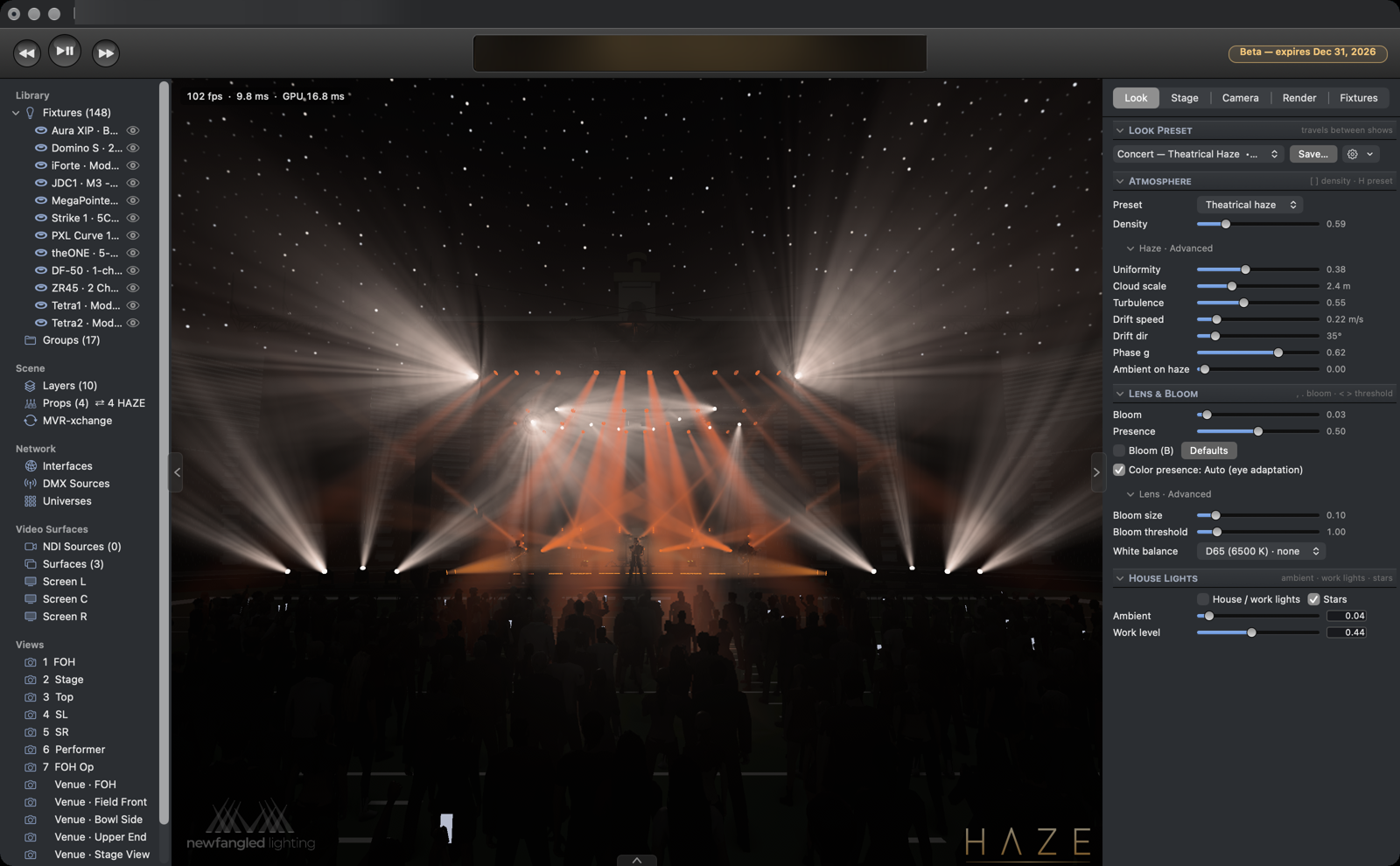
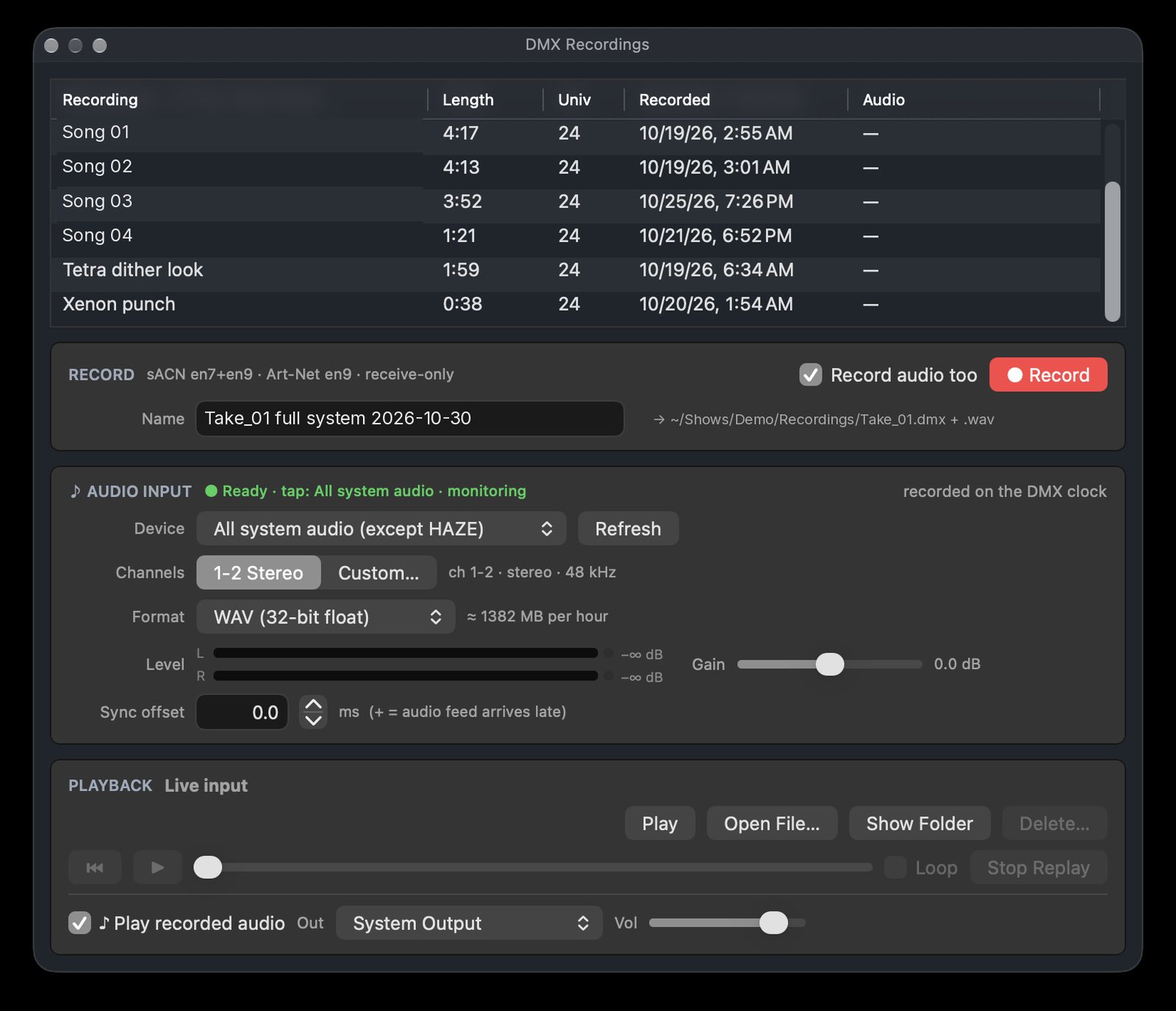
HAZE has a 3D viewport, an Inspector for the selected item, and side panels such as the DMX recorder.
Render quality
Section titled “Render quality”HAZE has four quality tiers: Draft, High, Ultra and Max. Draft and High scale their render resolution to your Mac’s GPU. Draft, High and Ultra are built to hold 60 fps for live programming. Max (cinematic) adds sharper shadows, more detailed haze and more beams rendered at full quality, for stills, renders and presentations, and it can drop below 60 fps on big rigs.
Panels
Section titled “Panels”- Sidebar: show or hide with ⌃⌘S.
- Inspector: show or hide with ⌥⌘I.
- Bottom Pane: show or hide with ⌥⌘B.
Each pane also has a Show/Hide button at the edge of the window.
- HAZE (app menu): Check for Updates…, Network Preferences… (⌘,), Fixture Library…, Brand Kit…
- File: New Show, Open…, Save, Import MVR…, MVR-xchange…, Export Still Image…, Export Paperwork (PDF)…, DMX Recordings…, Record DMX…, Packet Monitor
- View: Show FPS, Look Presets, Camera Presets, Enter Full Screen Viewport, Demo Looks (No DMX)
- Help: Enter License Key…, What’s New…, Report a Bug…, Request a Feature…, Reveal HAZE Log in Finder